
Import from Plex
Pull the current poster for every Movie, TV Show, Season, and Collection. A step-by-step picker asks what you want first, then shows only the libraries that can provide it.
Self-hosted · Free & open source
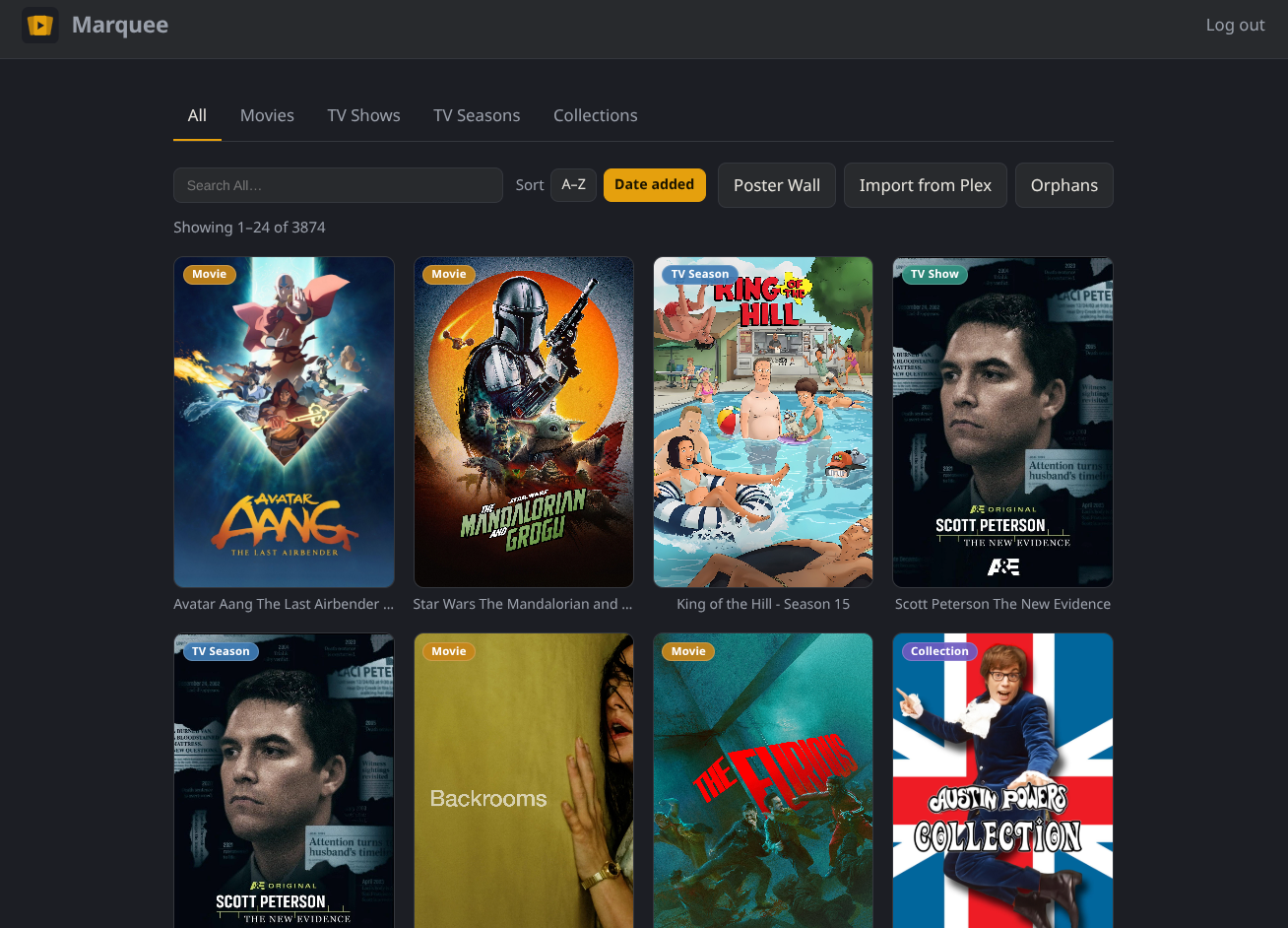
Marquee is a self-hosted web app for managing the posters in your Plex library — Movies, TV Shows, Seasons, and Collections. Import them all, refine each one in place, and send your choice back to Plex locked so it sticks.
Early alpha. Marquee is under active development — testing and feedback are very welcome, but treat it as experimental for now.
Features
Marquee treats Plex as the source of truth and gives you a fast, focused place to fix the posters that never looked right.
Pull the current poster for every Movie, TV Show, Season, and Collection. A step-by-step picker asks what you want first, then shows only the libraries that can provide it.
Upload your own art, paste an image URL, or pick a replacement from Find Posters, the built-in online poster search.
Changing a poster uploads it to Plex and locks the artwork, so an agent refresh won't quietly replace the image you picked.
Re-import every 1, 3, 6, 12, or 24 hours. Marquee skips posters that haven't changed in Plex, so recurring imports stay cheap and easy on your server.
Filter by type or see the whole library in one grid, each poster tagged. Sort alphabetically or by date added to Plex, newest first.
On a phone the gallery stays front and center: navigation and poster actions live in full-size trays. Install it as a PWA on your phone or desktop.
Poster Wall
The Poster Wall is a full-screen, slideshow view of your library that switches to whatever your household is actually watching.

How it works
Point Marquee at your Plex server, choose what to import, and pick the libraries. Marquee pulls the current poster for each item and remembers what it belongs to.
Hover a poster — or tap it on mobile — to open its actions. Upload a file, paste a URL, or search Find Posters, then apply it.
Marquee uploads the poster to Plex and locks the artwork. Fetch from Plex any time to pull an item's current art back, and use Orphans to tidy up what's gone.
Marquee is a single self-hosted container that talks to your Plex server — no accounts, no cloud, nothing leaves your network. Full setup instructions, configuration options, and release notes live on GitHub.
FAQ
Yes. When you change a poster — or use Send to Plex — Marquee uploads that image to the item in Plex and locks the artwork so Plex keeps it.
No. Marquee treats Plex as the source of truth: importing pulls the current poster from Plex and overwrites what Marquee had for that item. Keep your own backups of anything you can't recreate.
It finds posters in Marquee that are no longer linked to any media in Plex — usually because you removed that content.
Yes. Marquee is responsive and installable as a PWA. On a phone, secondary navigation lives behind a menu and tapping a poster opens a full-size action sheet, so the gallery stays front and center.
Nothing. Marquee is free and open source under the MIT license. There are no accounts, no subscriptions, and no telemetry.
Marquee runs as a Docker container. The GitHub repository has the compose file, every configuration option, and instructions for finding your Plex token.
Marquee is free and always will be. If it earned a spot in your setup, you can throw a few dollars at ongoing development — or, let's be honest, at another hard drive for my Plex server that I absolutely need and can definitely justify.
Hard drive fund